

#battery safety
#pet tech deals
#rechargeable pet gear
#USB-C pet gadgets
A USB-C pet gadget deal is not automatically cheaper just because the port looks familiar. Before you buy a rechargeable collar light, clip-on fan, tracker accessory, grooming tool or toy, check whether the charger, cable, dock, battery and app support are actually included and usable. The small missing parts can turn a low sale price into a second order, a return hassle or a device that is not ready when your pet needs it.
Rechargeable pet gear is everywhere during summer sale season because owners are buying travel fans, light-up walking gear, grooming tools and trackers before trips, heat waves and longer evenings outside. The useful question is not whether USB-C is convenient. It is whether the exact pet device in your cart can be charged safely, supported long enough and returned easily if the battery or app disappoints.
Why This Matters Now
Current pet-deal searches are full of battery-powered products: LED collars and leashes, clip-on crate fans, GPS trackers, grooming tools, pet cameras, fountains, smart toys and portable accessories. Many are small enough that shoppers assume any phone charger will solve the problem.
That assumption can be expensive. Some devices use USB-C on the cable but still need a specific charging dock. Some include only a cable, not the wall adapter. Some rechargeable batteries are not replaceable. Connected devices can also lose value if the app, cloud service or software updates are unclear.
Battery safety is part of the same checkout decision. The U.S. Consumer Product Safety Commission says battery and charger hazards can include overheating, fire, electrical shock and thermal burns, and that chargers should be suitable for the product as part of a tested system. That does not mean every small pet gadget is dangerous, but it does mean the cheapest anonymous charger setup should not be treated as a harmless detail.
The Checkout Checks Owners Skip
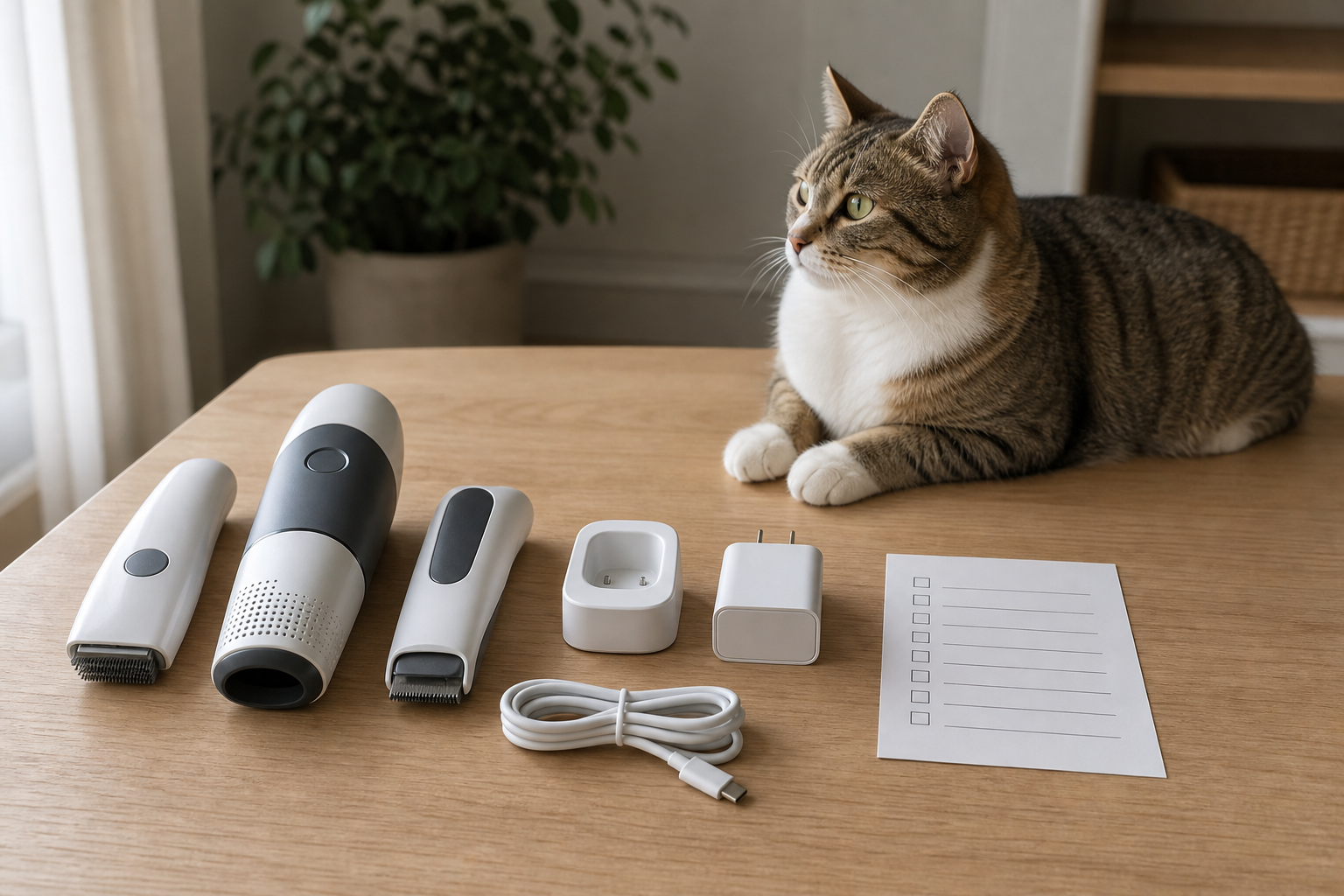
Start with what is actually in the box. Look for a clear list of the device, cable, wall adapter, charging dock, replacement battery if applicable, instructions and warranty contact. If the listing says “USB-C charging” but the photos show a magnetic puck, cradle or two-pin dock, assume the dock matters and check whether replacements are sold separately.
Next, check the power requirements. A small pet gadget may not need a powerful charger, but it still needs a compatible one. If the product page does not say what input rating or adapter type to use, that is a support question to ask before buying, not after the battery gets hot or refuses to charge.
Then check runtime in the situation you actually care about. A tracker or collar light used on a short city walk is different from a fan for a long car wait, a nail grinder for multiple dogs or a GPS accessory for a weekend trip. Read the claimed runtime beside the charge time, because a device that runs for two hours but takes four hours to recharge may not match your routine.
When USB-C Still Does Not Mean Universal
USB-C is a connector shape, not a promise that every cable, charger and dock will work equally well with every pet product. USB-IF runs a compliance program for certified USB products and maintains a product search limited to products certified to bear USB-IF logos. Most pet shoppers will not audit every small gadget that deeply, but the principle is useful: visible USB-C alone is not the same as verified compatibility.
For pet gear, the practical check is simple. Confirm whether the device charges directly through a standard USB-C port or through a proprietary base. Check whether the cable is detachable. See whether the manufacturer sells spare cables or docks. If the only charger is a tiny custom piece that is unavailable separately, the deal depends on not losing that part.
The App And Update Question
If the gadget connects to an app, the charging question is only half the story. The FTC has warned shoppers that it can be hard to find how long smart products will receive software updates, and it recommends looking for update-support information before buying a smart product.
That matters for pet cameras, trackers, smart toys, fountains, feeder accessories and training gadgets. A rechargeable product can still turn into clutter if the app stops working, the account is required for basic features, or the cloud feature that made the sale look attractive becomes a subscription.
Deal And Coupon Checks Before Paying
Do not compare the sale price alone. Compare the full first-use cost: device, charger or dock, extra cable, replacement filters or parts, subscription, shipping and possible return shipping. A small discount can disappear quickly if you need a second order just to make the device usable.
Check the return terms with battery devices in mind. Some retailers handle opened electronics differently from ordinary pet supplies, and marketplace sellers may have separate policies. If the product is for travel, grooming or heat management, do not wait until the trip or first hot day to test it. Charge it, run it and inspect the cable while the return window is still open.
Also be careful with bundles. A “two-pack” is useful only if both devices include the charging parts you need. A collar light bundle without extra cables may be fine for one dog and frustrating for two. A grooming kit with one proprietary charger can become a bottleneck in a multi-pet home.
What To Avoid
Avoid listings that hide the charger details, show several different charging setups in the photos or use vague phrases such as “universal charging” without showing the port and included parts. Avoid damaged, swollen or unusually hot battery devices, and do not let pets chew cables or charging docks.
Skip anonymous replacement batteries unless the manufacturer clearly approves them for the device. CPSC battery guidance emphasizes a system approach that includes cells, batteries, chargers and the end product working safely together. A bargain battery is not a bargain if it does not belong in that product.
Do not buy a connected pet gadget only because the first month of an app feature looks cheap. Confirm what works without a subscription, what needs cloud service and whether basic charging, alerts or history still work if you cancel.
Quick Answers
Is USB-C better for pet gadgets?
It can be more convenient, especially if the device charges directly from a standard cable. It is not enough by itself. You still need to check the included charger, dock, runtime, replacement parts and support policy.
Should I use my phone charger for a pet device?
Only if the pet device instructions allow it and the charger matches the required input. If the listing or manual is unclear, ask the manufacturer before charging.
Are rechargeable pet collars, fans and toys worth it?
They can be, when the battery life matches your routine and the charging parts are easy to replace. They are less attractive when the device needs a proprietary dock, has a short return window or depends on an app feature that may cost extra.
What is the safest checkout habit?
Read the “included in box” list, the charging instructions, the return policy and the warranty before paying. Test the device early, away from pets who might chew the cable.
Sources
- U.S. Consumer Product Safety Commission, Batteries.
- U.S. Consumer Product Safety Commission, Learn more about lithium-ion batteries fires and what you can do to keep your family safe.
- Federal Trade Commission Consumer Advice, How long will your smart device get software updates? It’s hard to know.
- USB Implementers Forum, Compliance and Product Search.
- FDA, Recalls & Withdrawals, checked during topic research for current pet food and product safety signals.
Sources last checked: 2026-07-10 22:37 Europe/Rome.