
#pet camera
#pet camera subscription
#pet tech
#Prime Day pet deals
#smart pet camera
A cheap pet camera can stop looking cheap if the deal only covers live viewing and pushes recordings, smart alerts or video history behind a paid cloud plan. Before you buy, check whether the camera has a real microSD slot, what features work without a subscription and how long the maker says it will support the app. The best deal is the one that still does what you need after the sale badge disappears.
Why this matters during pet-tech deal season
Pet cameras are easy to impulse-buy during Prime Day and summer travel season because the pitch sounds simple: watch your dog or cat from your phone while you are away. The catch is that many camera features are no longer just hardware features. Video history, smart pet alerts, cloud clips, AI summaries, extra warranty programs and multi-camera plans may depend on subscriptions or app support.
That does not make cloud storage bad. For some owners, cloud clips are useful because they can review barking, pacing, door activity or a cat’s overnight routine without pulling a memory card. But if you only want a basic camera for check-ins, a missing SD-card option can turn a sale camera into a recurring bill.
The storage detail to check before checkout
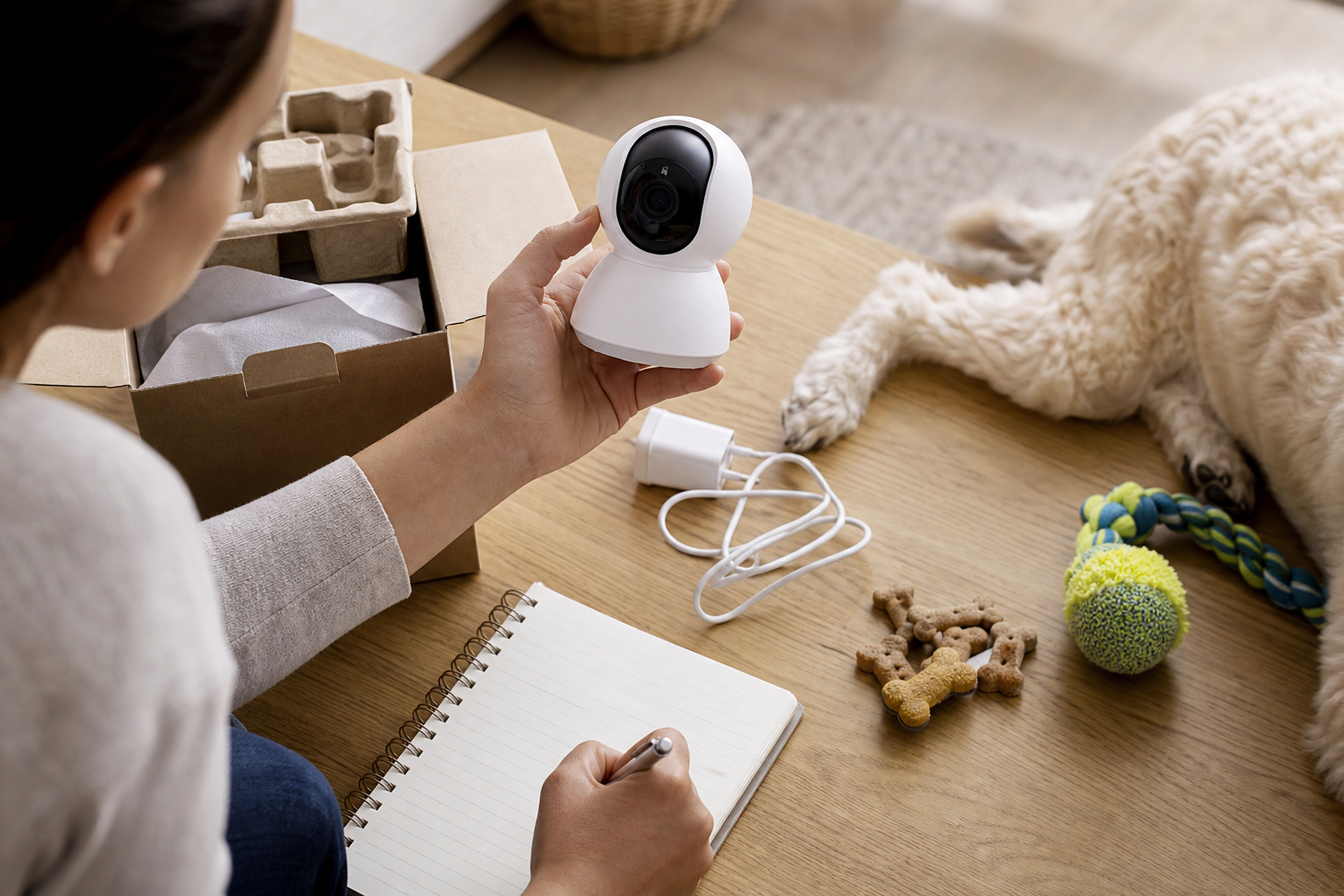
Look past the words “pet camera” and find the storage line in the product listing. You want to know whether the camera can save footage locally to a microSD card, a home hub or another local recorder. If it cannot, ask what happens when the free trial ends.
A useful product page should make these points clear:
- whether live view works without a paid plan;
- whether recordings are saved locally, in the cloud or both;
- the maximum supported microSD card size, if local storage is offered;
- whether smart alerts, pet detection, barking alerts or clip history require a subscription;
- how many cameras are covered by one plan;
- whether videos can be downloaded or deleted from the app;
- whether the camera still records during an internet outage, if local storage is advertised.
If the listing says “optional subscription,” do not assume everything important is optional. Some cameras work well as live-view devices without a plan but reserve video history or smart alerts for paying members. Petcube, for example, says its cameras can be used without a subscription, but Petcube Care adds video storage and smart alerts. Furbo explains that its Nanny subscription supports cloud storage, AI analysis and ongoing service costs. Those are real features, so the buying decision should include them.
When local storage is the better pet-camera deal
Local storage can make sense when your main goal is to review ordinary home footage without adding another monthly charge. A camera with a microSD slot may let you keep short clips or continuous recordings at home, depending on the model and card size. It can also be more appealing if your camera points toward a private room and you want fewer videos stored on a provider’s servers.
Local storage is not perfect. If the camera is unplugged, stolen, damaged or reset, the card may be lost with it. Remote access can also be less convenient than cloud clips, and some apps still require an account. The smart shopping question is not “cloud or local forever.” It is whether the camera can keep doing the job you bought it for without surprising you at renewal time.
When a cloud plan may be worth paying for
Cloud storage may be worth the cost if you travel often, use more than one camera or need reliable access to clips from outside the home. It can also help if you want smart alerts for barking, motion, people, pets or unusual activity. For some owners, those features are the whole reason to buy a pet camera instead of using a spare indoor security camera.
Do the math before the checkout page. Add the camera price, the first year of subscription charges, any activation fee, extra cameras, memory cards, mounting accessories and replacement cables. Then compare that total with a camera that costs more upfront but includes local storage or free basic alerts.

Deal and coupon checks before you pay
Prime Day and retailer pet-tech sales can be useful, but sale math gets messy when the product is tied to software. A discount on the camera is only part of the cost.
Before you click buy, check:
- whether the displayed price requires a bundled subscription;
- whether a free trial auto-renews;
- whether the discount applies to the camera only or to the first subscription period too;
- whether coupon codes exclude pet tech, cameras, bundles or marketplace sellers;
- whether returns are allowed after the app has been activated;
- whether the seller is the brand, an authorized retailer or a marketplace seller with different support terms.
Also check the return window immediately. A pet camera can look fine on day one, then become annoying after you test night vision, app alerts, Wi-Fi range and where the lens has to sit in the room. Keep the packaging until you know the camera works where your pet actually spends time.
Privacy and software support are part of the price
A pet camera is still a home camera. The FTC advises owners of internet-connected devices to change default passwords, use two-factor authentication where available and keep device software updated. It also warns shoppers to look for information about how long a smart product will receive software updates before buying.
That matters because a bargain camera is not a bargain if the app becomes unsupported, the account controls are weak or the company does not clearly explain security updates. Before buying, look for:
- two-factor authentication;
- clear app update history in the app store;
- an obvious privacy policy;
- a way to turn off microphones, status lights or recording modes when needed;
- plain instructions for deleting clips and closing the account;
- a support page that explains storage, subscription and warranty terms.
What to avoid
Avoid a pet camera listing that hides the subscription terms until after purchase. Be wary of cameras that advertise “no monthly fee” but do not explain whether recordings, alerts or playback are actually included. Do not point any camera at private areas of your home unless you are comfortable with how that footage is stored and accessed.
Do not rely on a pet camera as a safety device for medical monitoring, heat emergencies, separation anxiety or feeding problems. It can show you what is happening, but it cannot replace a pet sitter, a secure home setup or veterinary advice when your dog or cat has a real health or behavior concern.
Quick answers
Is a pet camera with an SD-card slot always better?
No. It can be cheaper over time, but cloud storage may be more convenient if you need remote clip access, smart alerts or multiple cameras.
Can I use a regular indoor security camera as a pet camera?
Often, yes. You may lose pet-specific features like treat tossing or barking alerts, but you may gain better local storage, clearer security settings or a lower total cost.
Should I buy a pet camera during Prime Day?
Only if the total cost still works after you add subscriptions, memory cards, accessories and return terms. A sale price is not enough by itself.
What is the safest checkout habit?
Read the storage and subscription pages before you buy. If you cannot tell what works without a paid plan, choose a clearer product or wait.
Sources
Last checked: 2026-06-24 01:32 Europe/Rome.
- Amazon, Prime Day 2026 dates and event details
- FTC, Securing Your Internet-Connected Devices at Home
- FTC, How To Secure Your Home Security Cameras
- FTC, How long will your smart device get software updates?
- FTC, final click-to-cancel rule announcement
- Furbo Help Center, Why Is There a Subscription Fee
- Petcube Cam 360 product information and subscription FAQ
- Petcube Support, What is Petcube Care Membership
- WIRED, pet camera storage and subscription context